EspañolDownload for Mac

earmatch

The Earmatch window: both decks live with their phase meters, and the BPM option set to one decimal.

A free Mac app that hides what you would match by eye in rekordbox 7.

For macOS 14 or later, on Apple silicon and Intel.
Read the source on GitHub

Hide the decimals

The jog shows your tempo to two decimals, pitch included, so you can match it by reading. Earmatch covers the digits you choose.

What stays visible is rekordbox’s own drawing, so it never lags. The track’s original BPM in the deck header stays visible unless you turn on full blind mode, which also covers the pitch.
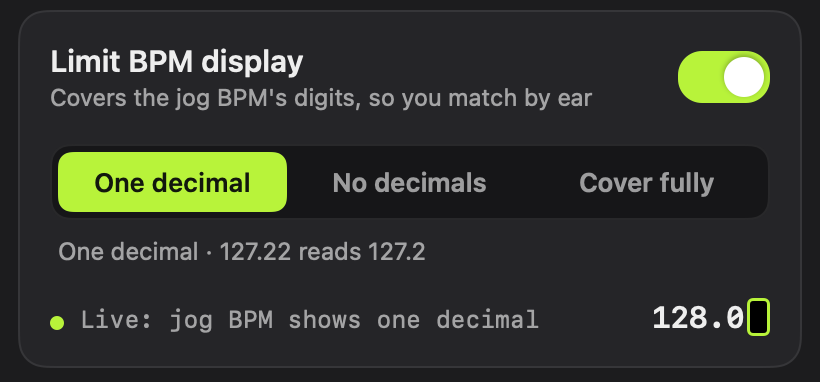
The BPM option in the Earmatch window, set to one decimal: 127.22 reads 127.2.
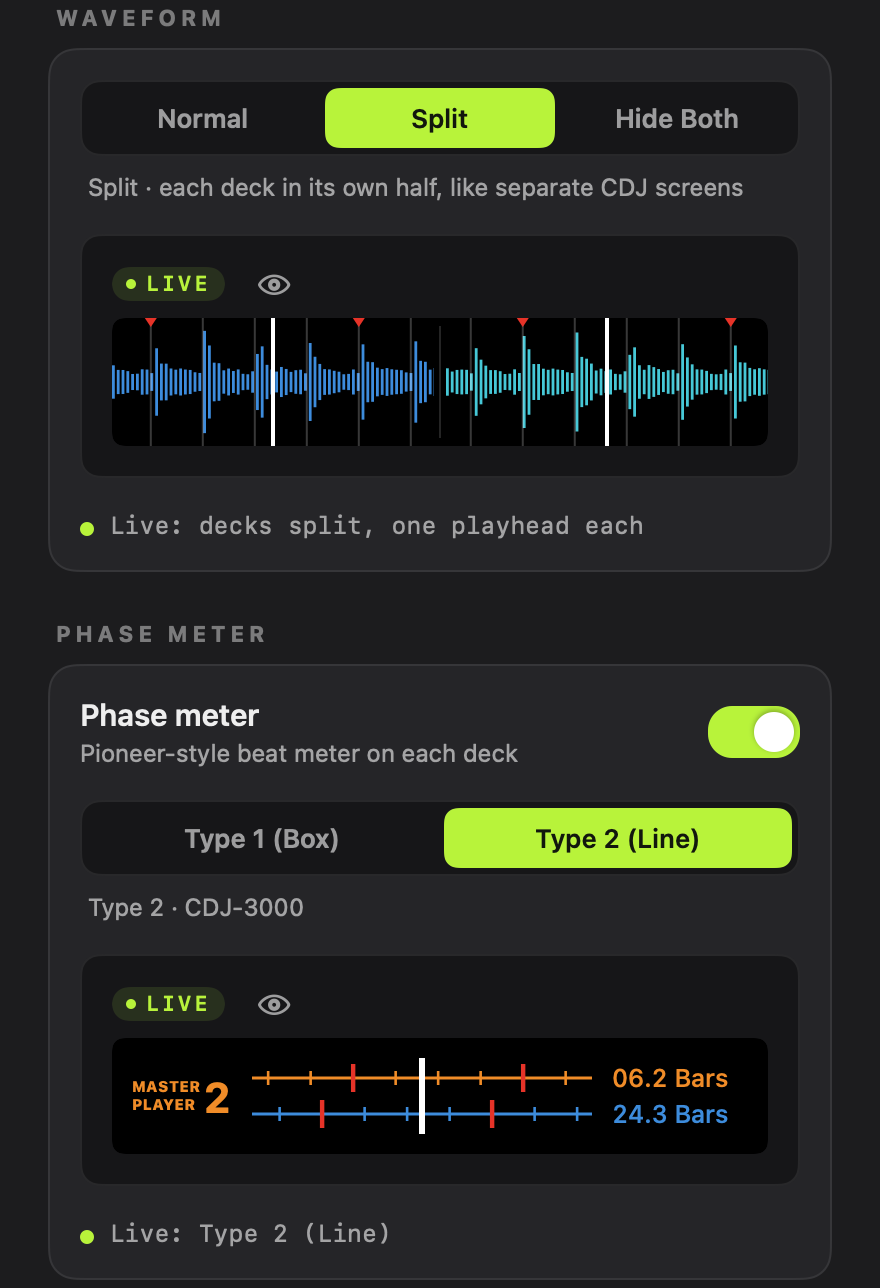
Split: deck 1 on the left, deck 2 on the right, one playhead each.

One screen per deck

rekordbox stacks both waveforms, so the beat grids line up right in front of you. Split gives each deck its own half with its own playhead in the middle, like two CDJ screens side by side.

Hide Both blacks the waveforms out and keeps only the phase meters. Normal leaves rekordbox as it is.

A phase meter that keeps up

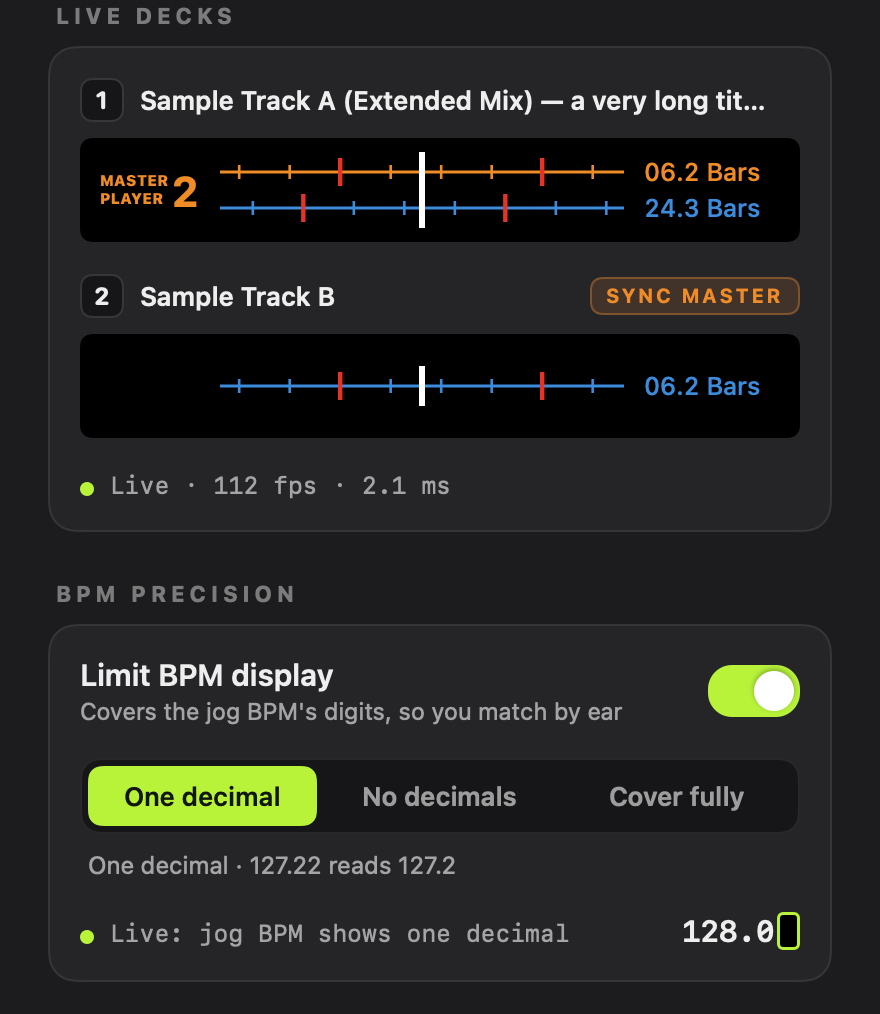
Earmatch reads rekordbox about 110 times a second and draws each meter for the moment the frame reaches your screen, about 1.6 ms after capture. It never trails the music.

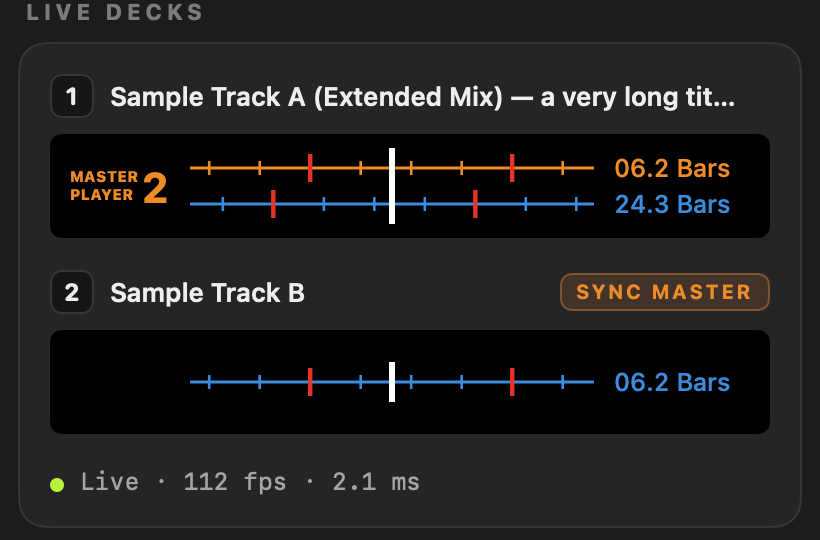
It reads rekordbox’s beat grid, not the waveform peaks, so it holds steady with Blue, RGB and 3Band waveforms. The Sync Master is orange and the other deck is blue.

Two more styles follow the CDJ-3000: its own phase meter, with the counters on the left, and in Split the master’s waveform above yours. The counters show the bar and beat as rekordbox does, or count down the bars and beats to the next cue as the players do.

Type 1, BoxFour boxes per bar, as on the XDJ-1000 and CDJ-2000NXS. Your box turns red when you are on a different beat of the bar than the master.
Type 2, LineBeat lines scroll past a white centre line, as on the CDJ-2000NXS2 and XDJ-1000MK2. Red ticks mark the downbeats, so the gap between the rows is your phase.

Also in the app

While you practise

  • Hold Right Option to peekrekordbox shows unchanged for as long as you hold it.
  • Control-Option-Command-ETurns every overlay on or off.
  • Booth presetsOne click sets the meter, the counter and the BPM like a CDJ-3000, CDJ-2000NXS2 or XDJ-1000.
  • Full blind modeAlso covers the pitch % and the BPM in the deck header.
  • Menu bar controlEvery option is in the window and the menu bar, and applies at once.
  • Full screen and second displaysThe overlays follow the rekordbox window wherever it is.

Everything works without leaving the decks.

After each mix

  • Mix trainerTimes every mix of 8 seconds or more, even with the overlays off.
  • Tempo matchHow long you took to bring the tempos within 0.1 BPM.
  • Phase errorThe average and the worst, in milliseconds, ahead or behind.
  • ReplayPlays back the phase error of your last transition.
  • ProgressYour median phase error, day by day.

Each mix is timed and saved on your Mac.

What it reads

  • Every 2Deck and 4Deck layoutHorizontal or vertical, in Performance mode.
  • The beat gridNot the waveform peaks, so the meter does not jump on quiet intros.
  • Blue, RGB and 3BandAny waveform colour works.
  • The Sync MasterFound on every frame, from the MASTER button.
  • Bar countersBar and beat, such as 06.3 Bars, as rekordbox shows them, or a countdown to the next cue.
  • Your BPM digitsDrawn by rekordbox. Earmatch only covers them.

Every number comes from rekordbox itself.

When something is off

  • Status linesEach card says what Earmatch is waiting for, or that it is live.
  • Copy DiagnosticsA plain-text report for bug reports, with no personal data.
  • Permissions that re-checkEach row turns green as soon as macOS allows it.
  • Keyboard and VoiceOverEvery control works from the keyboard and reads as the native control it is.
  • Universal appRuns natively on Apple silicon and Intel Macs.

If it cannot run, it tells you why.

Set it up

  1. First, move it to Applications.

    Download Earmatch, drag Earmatch.app into Applications and open it. macOS ties the permissions to that location.

  2. Then allow two permissions.

    Click Open Settings next to each row and turn Earmatch on in System Settings › Privacy & Security.

  3. Last, open rekordbox and play.

    rekordbox 7 in Performance mode, with any 2Deck or 4Deck layout.

    The Live Decks panel in Earmatch: deck 1 and deck 2 with Type 2 phase meters, the Sync Master chip on deck 2, and the status line Live, 112 fps, 2.1 ms.

Questions

  • macOS 14 or later, on Apple silicon and Intel.
  • rekordbox 7 in Performance mode, 2Deck or 4Deck.
  • In English and Spanish.
  • Free and open source.
Does Earmatch change rekordbox or my library?

No. It only reads the rekordbox window and draws on top of it. It never clicks, types or sends keys to rekordbox, and it never opens your library or settings.

Why does it need Screen Recording?

To see the waveforms, the beat grid and the BPM digits. Only the rekordbox window is captured. Frames are processed in memory and never saved or sent.

Can I check the real BPM while I practise?

Hold Right Option and rekordbox shows unchanged until you let go. The track’s original BPM in the deck header stays visible unless full blind mode is on.

Which layouts does it support?

Every 2Deck and 4Deck layout in Performance mode, horizontal or vertical. With four decks, Split shows a 2×2 grid. In Browse or when another app is in front, the overlays hide by themselves.

Something looks wrong. How do I report it?

Choose Copy Diagnostics in the window or the menu bar and paste the report into a GitHub issue. It lists versions, permissions and settings, and no personal data.

Is Earmatch made by Pioneer DJ or AlphaTheta?

No. Earmatch is an independent app made by GastonDalla, not affiliated with AlphaTheta, Pioneer DJ or rekordbox.

Download for MacOpen an issue

The Waveform and Phase Meter options in the Earmatch window, set to Split and Type 2 (Line), both live.The Earmatch app icon: two waveforms, lime and cyan, each with its own white playhead.
The Earmatch app icon.

Match it by ear

Earmatch is free and open source. Download it, open rekordbox and play two tracks.

macOS 14 or later, on Apple silicon and Intel.

Download for MacRead the source